> For the complete documentation index, see [llms.txt](https://docs.ticket-log.com/llms.txt). Markdown versions of documentation pages are available by appending `.md` to page URLs; this page is available as [Markdown](https://docs.ticket-log.com/guides/how-to-send-emails-for-new-tickets.md).
# How to send emails for new tickets
TicketLog can optionally send an email to the author when a new ticket is created.
However, some users would like emails sent more broadly to support team members.
It possible to do this from within Azure DevOps itself.
From Azure DevOps:
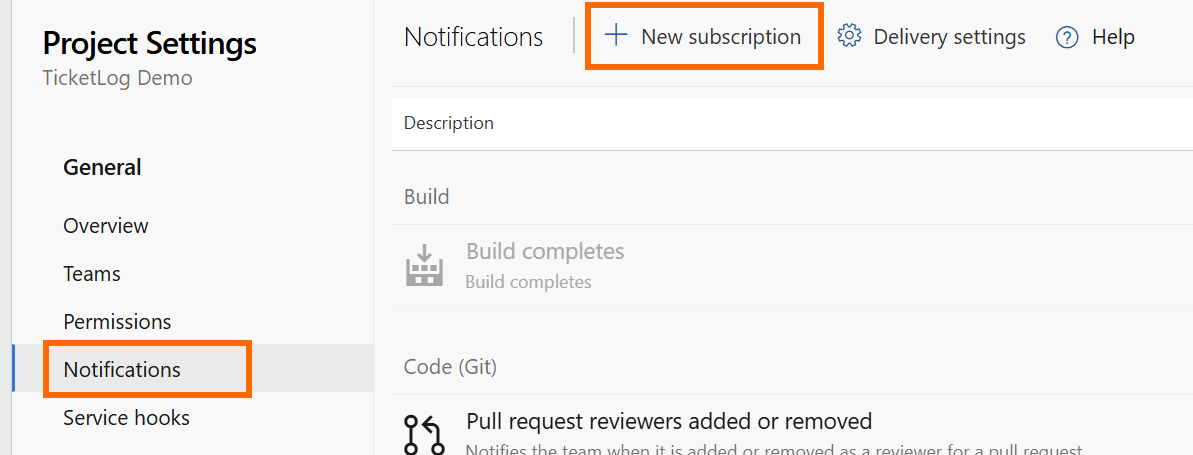
1. Click **Project Settings** > **Notifications > New subscription**
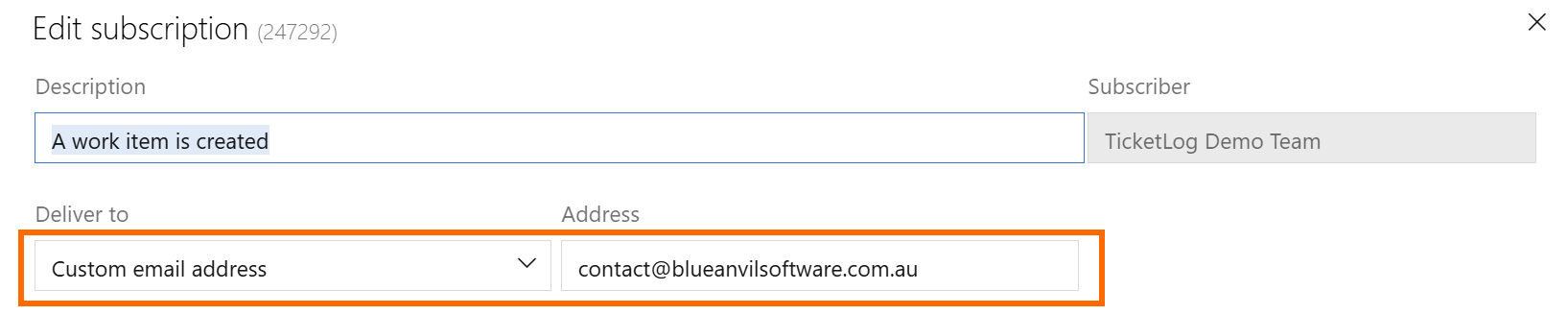
2. Select **Work** > **A work item is created**
3. Set 'Deliver to' as 'Custom email address', and set your distribution email address
4. Add the following Filter clause:
* Field: **Tags**
* Operator: **Contains value**
* Value: **TicketLog**
* *Value must match the Tag configured in your TicketLog form settings*
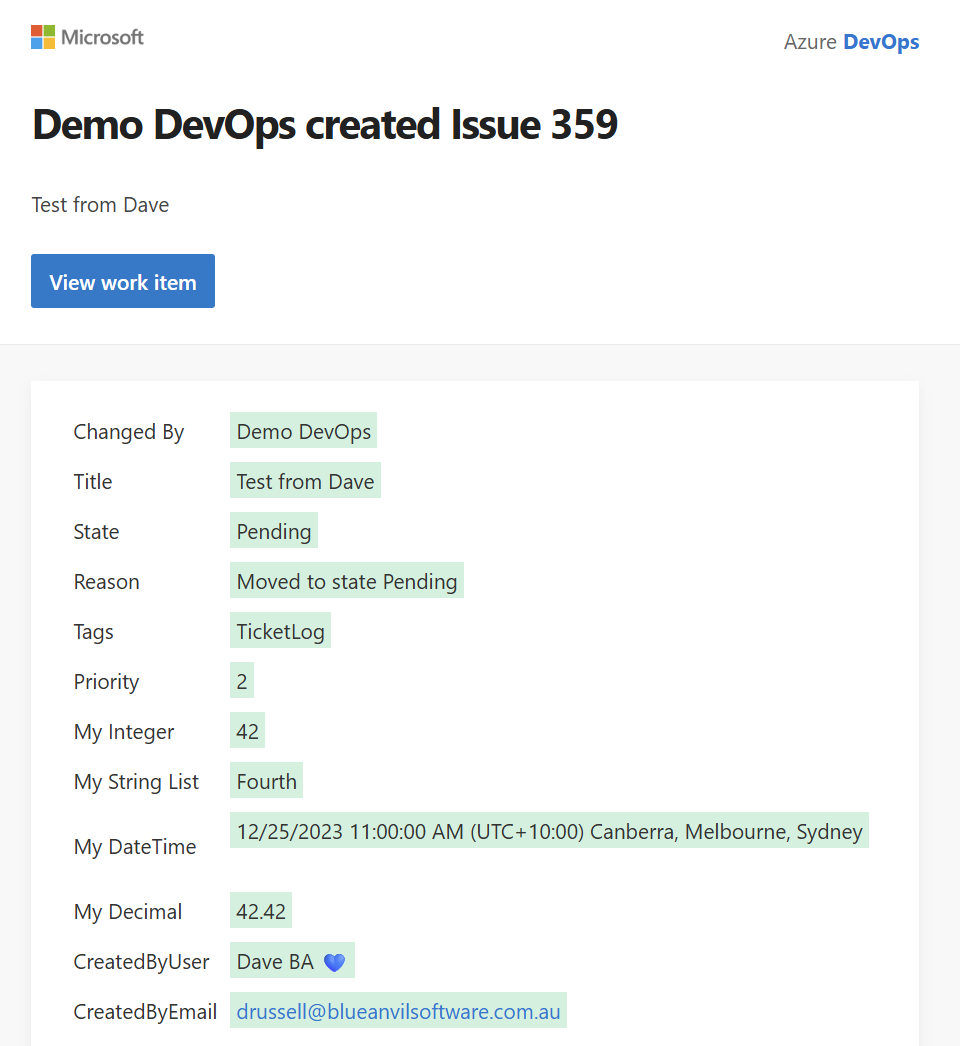
Here is a sample of the email notification people will receive: